Make art from the photos you love.
Cupixel helps you turn a photo into a traceable outline, transfer it onto a real canvas with your phone camera, and learn how to paint or draw it with artist-led classes.
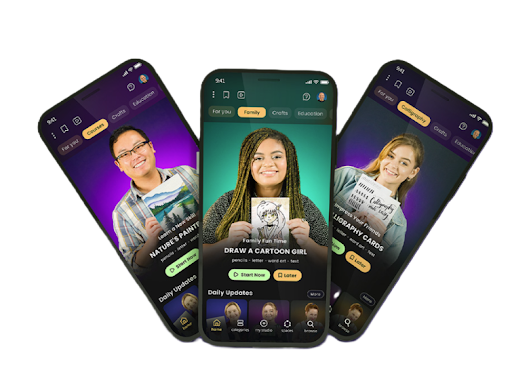
Cupixel is an AR photo-tracing and art-learning app for creating physical artwork. It turns photos and designs into traceable outlines, overlays them over a real surface through your phone camera, and pairs the tracing workflow with artist-led instruction for drawing and painting.
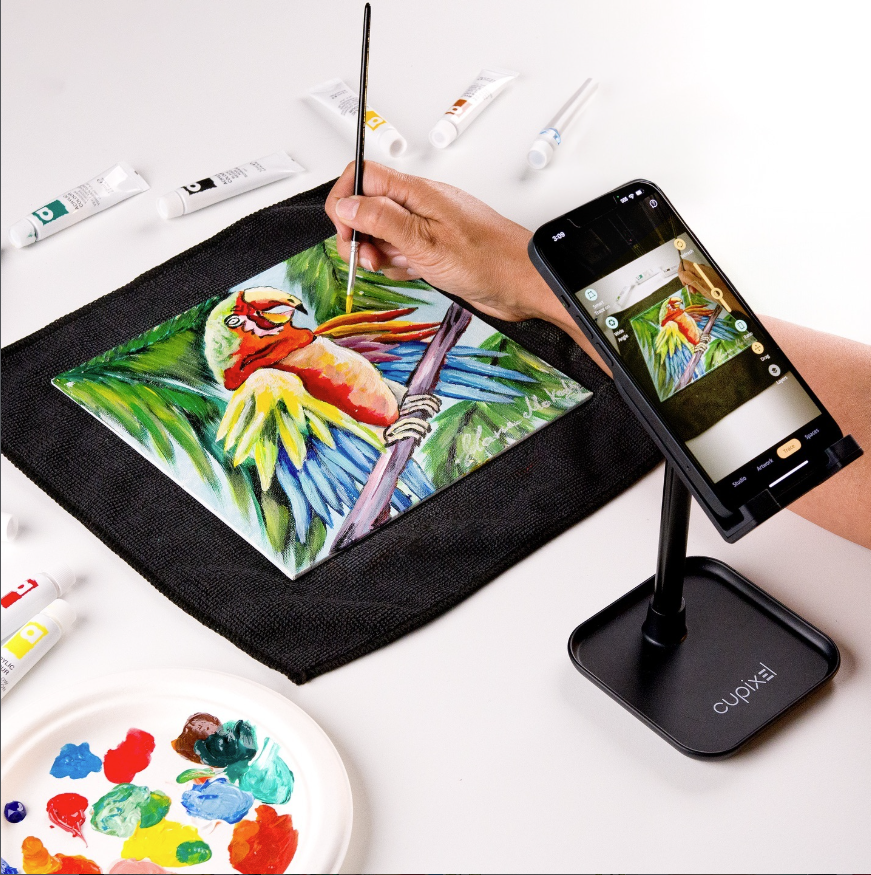
From a photo to real art, without starting from a blank canvas.
You still make the artwork. Cupixel helps with the intimidating first step: getting the image accurately onto the surface.
Choose what you want to create
Start with a Cupixel design, a class project, or use your own personal photo with a membership.
Trace it onto a real surface
Position your phone above the canvas. Cupixel shows the reference over the live camera view so you can trace the important lines by hand.
Paint, draw and make it yours
Continue independently or follow an artist-led class to learn color, brushwork, shading, texture and finishing techniques.
“I’d love to paint my dog, but I could never draw that.”
 Start with CupixelUse the photo you actually want to turn into art.
That is exactly the kind of starting problem Cupixel is designed to solve. Begin with a clear photo of your dog, turn it into an outline, size and position it over your canvas, and trace the main contours.
Once the proportions are on the canvas, you can focus on the part you actually wanted to learn: paint, color, fur, light and detail.
A pet, portrait, place or memory you genuinely want to create.
Reduce the pressure of getting proportion and placement right from a blank canvas.
Follow a class or continue in your own style.
Tracing gets you started. Classes help you keep going.
More than 1,500 artist-led classes — including 400 free options — cover drawing, acrylic, watercolor, portraits, lettering, calligraphy and creative projects.
Your phone is the guide. Your hands make the art.
Cupixel does not physically shine an image onto the canvas. Your phone camera shows the real work surface while the app displays the reference over the live camera view. You align the outline, then draw the visible contours onto the surface by hand.
This is different from a traditional lightbox, which relies on light passing through paper, and from a digital drawing app, where the finished artwork is created on-screen.
Use the same tracing workflow for the art you actually want to make.
Start from your own photo or choose a design in Cupixel, transfer the important lines to a real surface, then add color, texture and detail by hand.